 Do you plan to use Tegrity lecture capture during SPRING 2016?
If so, then Educational Technology will need to gather some basic information from you so that we may prepare any room(s) in which you will be teaching with the appropriate technology.
To gather that information, we ask that you complete the survey linked below:
Tegrity Lecture Capture Information Survey
(This survey will expire at midnight on Thursday, December 31, 2015)
This survey will ask you in which rooms you will be teaching and will also ask which technology (audio or video) that you will need. NOTE: Several rooms are already equipped with Tegrity technology.
If you want to find out more information about Tegrity, please visit the EdTech web page below:
http://edtech.mst.edu/support/tegrity
For assistance with Tegrity-related issues, please contact the IT Help Desk at 573-341-HELP or online at help.mst.edu.
]]> Blackboard services are largely restored.
We are seeing a few lingering effects from last week’s Blackboard problems, but they are being dealt with on a case-by-case at this time and are NOT part of any continuing problems with Blackboard.
If you continue to experience problems with Blackboard, please contact the Help Desk (help.mst.edu or 573-341-HELP).
]]>
 As a result of a proposal that was submitted and approved by the Faculty Senate to renumber course offering at Missouri S&T, the Registrar and academic departments are converting courses to a new 4-digit numbering system for Fall Semester 2014.
What does this mean for you and your Blackboard courses?
Please read the following information carefully!
- Every semester, courses are normally created automatically in Blackboard from information contained in Joe’SS (PeopleSoft).
- This semester (SP 2014), IT and EdTech have halted that process.
- Creating courses NOW in Blackboard will result in duplicate courses being created later in the Summer with the new numbering system. That will result in confusion for faculty trying to prepare their courses for Fall.
- Even though the official “cut-over” to the new 4-digit numbering system is scheduled to occur on August 1, 2014, IT and EdTech are working to prepare Blackboard courses early so that instructors can develop fall courses. This work should be completed by the end of April.
- The Registrar and IT have worked together to create a web-based application to help you identify the new course numbers for courses you teach: Online Course Renumbering Crosswalk. This link can also be found through the Registrar’s website under the Class Offerings left-menu item.
This will be a complex process, but IT, EdTech, and Registrar will work to make the transition as smooth as possible. Stay tuned for further updates and information.
If you have any questions or comments, please don’t hesitate to contact EdTech (edtech@mst.edu or 573-341-4131).
]]>Educational Technology has been conducting an evaluation of Blackboard as a Learning Management System (LMS) suitable for this campus.
A committee was formed with instructors and students from across campus to answer the question “Does Blackboard meet the teaching and learning needs on our campus?” The campus community had several opportunities to offer opinions and feedback through open forums and a survey.
The committee was unanimous in its decision that Blackboard and other Learning Management System alternatives should be evaluated and compared to determine which LMS would best meet the needs of the campus.
The committee recommends that—beginning as soon as January 2014—an additional 2-3 LMS alternatives should be evaluated, if possible in an actual course environment to more fully explore both Blackboard and the alternative products available.
Educational Technology is recruiting for the next committee in this process. This committee will meet with vendors, complete the evaluation of alternatives, listen to the campus community and make a recommendation to campus on which LMS should be used on campus.
We need your help! If you are interested in being on this committee please contact Angie Hammons, Manager of Educational Technology, at hammonsa@mst.edu.
More information about the Blackboard / LMS review process can be found at:
]]>If you have not yet taken the Blackboard/LMS Review survey, please take a few minutes to do so. Participants can elect to be entered into a drawing for a prize!
http://tinyurl.com/LMS-Review
(Survey is available until Tuesday, October 1, 2013)
Do you think Blackboard should have features that it doesn’t have? Are there things you like about Blackboard that you don’t want changed? How well is Blackboard supporting your teaching and learning needs? If you don’t use Blackboard, why or why not?
During the fall semester, Educational Technology will be working with a committee of instructors and students to evaluate Blackboard against S&T’s needs and expectations for a learning management system. The features of other learning management systems will be reviewed as well. The process will allow everyone to be heard through surveys and open forums.
Your input – what you like, dislike and wish for – is important to the project team!
This process works best if everyone is involved. Here is your chance. The link below will take you to the survey to offer your opinion and feedback. Please take a few minutes to fill it out and let us know what you think. You will have the opportunity to enter your name for a prize.
http://tinyurl.com/LMS-Review
(Survey is now available until Tuesday, October 1, 2013)
If you have any questions, don’t hesitate to contact Educational Technology at edtech@mst.edu or Angie Hammons at hammonsa@mst.edu.
]]> Ed Said, Educational Technology’s Fall 2013 newsletter is now available. The past several months have resulted in a number of changes in the services and support offered by Educational Technology. At the very least, the following services have been upgraded or added over the summer:
- Blackboard – New “inline grading” feature.
- TurningPoint – Unified interface that integrates PowerPoint Polling, Anywhere Polling, and Self-Paced Polling.
- Kaltura – Upload streaming media files into Blackboard.
The newsletter also discusses the effective use of blogs in a course, additional student-focused resources that can be added to a Blackboard course, tips for managing online discussions, and more.
]]>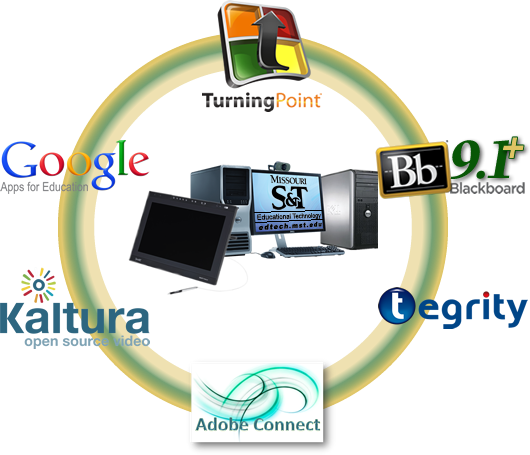 Educational Technology (EdTech) will be hosting a series of back-to-school technology workshops on August 5, 7, and 9. These workshops will be held in Centennial Hall Room 105, starting at 9 a.m. (see detailed schedule below).
Topics will include Blackboard, Google Apps for Education, Clickers/TurningPoint, Tegrity, and more… To accommodate the schedules of busy instructors, EdTech will present a series of 50-minute sessions to introduce the technology.
NO REGISTRATION REQUIRED FOR THE WORKSHOPS! Simply choose a time/date/topic that interests you from the list below and show up!
NOTE: Because multiple workshop topics will be taking place at the same time in the same room, it will not be possible to record the event.
Here’s how each workshop will operate:
- Interested attendees attend a workshop of their choosing at their convenience.
- The room will be divided into several “pods”, where each pod will cover one of the subtopics listed below.
EXAMPLE: An instructor interested in learning about Blackboard Assessments can attend the workshop on Monday, August 5 at 9 a.m. and visit the Assessments pod. If he or she wants to find out more about Grade Center, he or she can stick around at 10 a.m. on August 5 and move to the Grade Center pod or choose a different Blackboard workshop later in the week. EdTech will have workers on hand to guide attendees to the pod covering the technology in which they are most interested.
The schedule of the workshops is detailed below:
| DATE / TIME | MAIN TOPIC |
| Monday, August 5, 9 a.m. | Blackboard 1 |
| Monday, August 5, 10 a.m. | Blackboard 1 |
| Monday, August 5, 1 p.m. | “Other” Technologies 2 |
| Monday, August 5, 2 p.m. | “Other” Technologies 2 |
| Wednesday, August 7, 9 a.m. | Google Apps for Education 3 |
| Wednesday, August 7, 10 a.m. | Google Apps for Education 3 |
| Wednesday, August 7, 1 p.m. | Blackboard 1 |
| Wednesday, August 7, 2 p.m. | Blackboard 1 |
| Friday, August 9, 9 a.m. | “Other” Technologies 2 |
| Friday, August 9, 10 a.m. | “Other” Technologies 2 |
| Friday, August 9, 1 p.m. | Google Apps for Education 3 |
| Friday, August 9, 2 p.m. | Google Apps for Education 3 |
SUBTOPICS:
- Blackboard subtopics will include: Orientation, Organization, Assessments, Grade Center, Tools, and other Content Options.
- “Other” Technologies subtopics includes: Adobe Connect, Tegrity, Clickers/TurningPoint, Kaltura, and basic classroom technology.
- Google Apps for Education subtopics includes: Sites, Drive, Plus / Hangouts, Groups, and Voice
NOTE: These workshops are intended to provide a general overview of the technology supported by EdTech. Further assistance can be obtained by scheduling a one-on-one consultation with EdTech support staff or by attending an EdTech U event later in the semester. EdTech U is offered on Thursdays, from Noon – 2 p.m. in Interdisciplinary Engineering Room 105.
If you are having a technology issue, you can also contact the IT Help Desk at 573-341-HELP or online at help.mst.edu.
]]> IT will be performing Blackboard maintenance on Sunday, June 16, 2013, starting at 12:00 a.m.
Blackboard will be unavailable for 4-6 hours between midnight and 6 a.m.
Please call the Help Desk with questions about this or any other IT issue at 573-341-HELP (4357) or submit an online Help Request at http://help.mst.edu.
]]>
Information Technology will be upgrading Blackboard from Version 9.1 Service Pack 8 to Service Pack 11 on Wednesday, May 29, 2013, starting at 8:30 a.m. Blackboard will be unavailable for up to 8 hours while the upgrade process takes place.
Service Pack 11 introduces the following enhancements:
- New and improved assignment submission and grading process.
- Submitted assignments can be previewed before grading, and comments can be annotated directly onto the submissions (in-line grading) for selected formats (PDF, Word, PowerPoint, etc.).
- New and improved text editor.
- Additional mashup options for adding content, including Kaltura streaming media.
- Kaltura also includes a course gallery for instructors and students to use to stream video clips inside a course.
- Changes to the Discussion Board to allow for easier-to-follow threads.
- Changes to the student view of the Grade Center.
- And much, much more…
For more information about the Blackboard upgrade, please contact the Help Desk at 573-341-HELP or online at help.mst.edu.
If you have questions about any of the new features available after the upgrade takes place, please contact Educational Technology at 573-341-4131 or edtech@mst.edu.
EdTech will be conducting a series of seminars for Blackboard and other learning technologies shortly before the fall semester begins. Stay tuned to EdTech Connect, the eConnection, and EDUMINE for more information!
]]>