BigBlueButton is a free-to-use virtual classroom integrated into Blackboard. To use BigBlueButton, simply create a meeting room, and let students know they are to join you in that meeting room. With BBB, you’ll have video, audio, and text support with the ability to share your screen, notes, and files with students.
EdTech has written an easy-to-follow visual tutorial for creating and using a BigBlueButton meeting room. You can view the tutorial here: http://edtech.mst.edu/support/blackboard9-1/createbbblink/
Having a bad weather backup plan is a wonderful way to maintain continuity in your classes, promote accountability, and avoid losing valuable instruction time. I (Raz Kerwin) teach a technical communication class, and the Monday morning after our recent snowfall I held the morning meeting for my section online. I was impressed with the level of student buy-in and participation. I provided my students options, and I got results.
Successfully laying the groundwork to take your class online for a session or two is easier than you might think, and EdTech is here to help! Call or email today if you’d like to expand your options, and show Old Man Winter that you don’t cancel class just for a little bit of snow!
]]>Here is a short visual tutorial of the required steps: http://edtech.mst.edu/support/blackboard9-1/courseavailable/
]]>
On October 9th CERTI and EdTech will present “Course Organization and Social Presence” from 3:00PM to 4:30PM in Curtis Laws Wilson Library, Room 204. This eLearning Community of Practice / eFellows presentation will cover how instructors can set clear expectations as they redesign their courses for blended/online learning.
Objectives for this session include:
- Create a plan for course organization
- Identify instructor presence
- Identify how instructor presence might be included in your course
All S&T instructors are welcome to attend!
Please RSVP with Diane Hagni at hagnid@mst.edu or by phone at (573) 341-7648
]]>
During this maintenance window, users will be unable to connect to virtual machines in the VDI pools. Already connected users will most likely lose their connection while systems are being updated.
Questions, comments, or concerns can be directed to the IT Help Desk (573-341-HELP or online at http://help.mst.edu).
]]>
Blackboard Collaborate will be upgraded to the latest version at 5:00 p.m. on Thursday, August 2, 2012. Collaborate is a virtual learning environment integrated into Blackboard.
The newest version has some minor enhancements such as greatly improved noise cancellation features and the ability to better monitor which permissions each participant has within the Collaborate session.
This upgrade is not expected to cause any outage of Blackboard or Collaborate services.
For more information, contact Educational Technology at edtech@mst.edu.
]]>
Educational Technology is offering several opportunities to learn about Blackboard Collaborate in August (before Fall 2012). Collaborate is a virtual learning environment where students and instructors can interact online much as they do within a traditional classroom.
To sign up for a training opportunity, visit the link below:
Each training opportunity will cover the following:
- Uses (live class, record a class, virtual office hours)
- Features (white board, application sharing, web tour, changing permissions, chat, polling)
- Creating a new session
- Accessing recorded sessions
For more information, contact EdTech at edtech@mst.edu.
]]>
Educational Technology is offering several opportunities to learn about Tegrity Lecture Capture in August (before Fall 2012). Tegrity records an instructor’s lecture notes for later review by students. Both students and instructors can add annotations to the recordings.
To sign up for a training opportunity, visit the link below:
Each training opportunity will cover the following:
- When to use Tegrity
- Getting started
- Features
- Accessing recordings and publishing recordings for student view
- Advanced features
For more information, contact EdTech at edtech@mst.edu.
]]>
The Educational Technology group (at least the “Ed” side consisting of Meg Brady, Angie Hammons, Julie Phelps, Barb Wilkins, and Malcolm Hays) are traveling to the 8th Annual Sloan Consortium Conference in Chicago on March 28-29, 2001. This conference is primarily about blended learning strategies.
Over the next few days, we hope to bring you some ideas discussed at the conference through the medium of this blog. Stay tuned for continuous updates!
]]>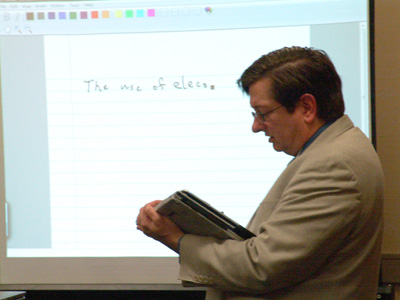
We will describe how one may use Wimba (in Blackboard) to help in
teaching very different types of courses. For example, in a Linear
Algebra course, one can use MathCAD in a computer lab; in a Foundations
of Mathematics course, one may use Notepad and Wimba, also in a
computer lab; and in a Global Research course, one may use Wimba and
(of course) Blackboard in a computer lab.
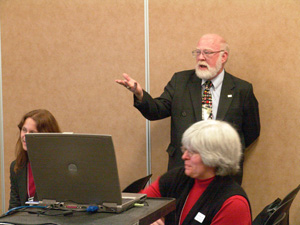
Virtual teaming is increasingly important in today’s business
environment. Providing real world opportunities that explore
collaboration across organizational cultures, time zones, and practice
gives students a tremendous competitive advantage and foster
experience-based learning. This session discusses lessons learned from
a multi-institutional partnership of universities in the design and
implementation of a global supply chain management course.