I already use Fireworks CS4 for a number of projects for EdTech, but I thought I’d stop by this presentation just to see what is possible. I certainly don’t use Fireworks to its maximum potential (few people do as it is a fairly complex piece of software).
I prefer Fireworks over Adobe Photoshop because it is much more intuitive for me to use. Photoshop, like most Adobe products, seems completely backwards to me.
Mark gave us a CD with the sample images, but I don’t have Fireworks installed on my tablet PC so I won’t really be able to follow along in a “hands-on” way. I suppose I could try to remote into my work machine, but that would be very slow over the network here–not recommended! Yep. It’s slow to do a remote desktop with MOREnet’s wireless network here.
It was so slow I eventually had to shut down my machine. Oh well.
Most of the information I already knew about, though there were definitely a couple of minor tips that may come in handy.
Mark did provide a useful description of Fireworks as a “hybrid” application that is part photo-editor (a la Photoshop) and part web-page creator (a la Dreamweaver). There are a number of things you can do with Fireworks to help simplify the web page creation process, such as creating mockups of web pages. A long time ago, I used a much older version to create a pretty slick mockup of a web site Mark Bookout and I were trying to create for our BrainTrax Project. As long as I clicked the Fireworks mockup in just the right place, it functioned very similar to our vision. It even had a version of the Algebra Brain in the web page.
Nowadays, I mostly use Fireworks as a simple image editor program for signs and other images that I create to support documentation. For instance, all of our Blackboard documentation was originally created in Word. The images were screenshots enhanced with Word’s own image functions (arrows and boxes). I then copied the combined screenshots, arrows, and boxes into Fireworks and saved them as GIFs so that they could then be uploaded into Documentum for final publication on the web. It sounds complicated, but it really isn’t.
]]>
Creating online content can be a very daunting task. This presentation
will discuss the foundational knowledge needed to be able to create
useful and effective content online. Topics will include technical
communication principles, images, web page editors, and more.
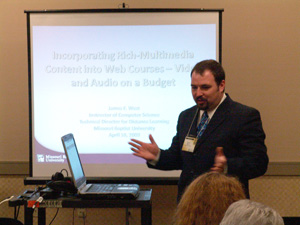
How can we keep Web courses from being mere reading courses, and offer
the same multimedia Web resources to our Web students that we do in the
classroom? Moreover, how can we do it with little or no money? This
presentation explores how rich multimedia, including Web videos can be
easily and inexpensively incorporated into Web classes in a format that
even dial-up users can, for the most part, access. The inclusion of
audio in PowerPoint lectures is also explored.
 I am scheduled to do some more Documentum Web Publisher training in a few minutes. This will be my second attempt at doing so this semester.
Fortunately, the difficulties that we encountered last time appear to have been resolved. I came into the classroom earlier today to make sure that all of the machines would allow me to edit a web page. Since the last training session, we’ve experienced one significant technical glitch that has prevented people all over campus (including myself) from editing web pages. Fortunately, there is a really simple workaround, but it does require that the user have administrator rights on a machine. You simply have to delete a file that is put into the Documents and Settings root folder on a machine. After that, Documentum Web Publisher allows you to edit web pages. I’ve been told by our web support administrators that Documentum will be sending us a permanent fix for this problem in the very near future, but not soon enough for my class. So I went to every machine in the classroom and deleted the file in order to get the web page editor to work.
Another wrinkle I encountered while removing the problematic file was that all of the machines needed to have Windows updates applied to them. Our network is set up so that a series of Windows patches are released across campus every month. The machines receive those patches and then reboot themselves at or around 3 p.m. the next day. This can cause a problem when you are trying to teach a class using computers and all of the machines insist on rebooting themselves in the middle of class [users with “admin” privileges can opt to reboot at a later time, but general users are forced to reboot]. Fortunately, I was able to apply the patches to most of the machines and reboot them this morning, so we hopefully will not have that problem this afternoon.
In order to help reduce the amount of clutter on the training web site I requested that all of the content be removed with a very few exceptions. This way the students will have a “clean” environment they can use for uploading content to the training web pages.
Finally, I created a sample web page for them to use. We will hopefully be able to all download content from this web page and recreate the web page within the training environment. I strongly suspect I will see minor (and possibly major) variations of the sample web page, but it will be enough to get them started. The sample web page I will be using will require them to upload a PowerPoint presentation, upload one or more images, create lists, create links to absolute and relative pages/documents, show a pullout, and use a sidebar.
]]> Yesterday I conducted Documentum Web Publisher training for a group of students. Four of the students were part of a project within the Information Systems & Technology department, tasked with creating an EcoCAR Challenge web site. This is an effort involving Missouri S&T and several other higher-education institutions to create the best, most ecologically friendly car (similar to the biannual solar car challenge, I suppose). The remaining student is working for the Civil, Architectural, & Environmental Engineering department.
It’s been awhile since I’ve taught Documentum. In the past, I’ve mostly had to deal with administrative support staff and a few faculty. This was the first time that I’ve had to teach a group of students. To make things just a little more interesting, I was the only native-speaker of English in the room. Everyone else was from India (I think–one of them might have been from Sri Lanka or a related nation in the same general geographic location).
At first, everything seemed to go pretty well. Some of the students arrived late, so I had to backtrack a little bit to get them caught up to the two students who were on time. I explained how the interface worked and what we would be doing during the class. Since time was limited, I really just focussed on the following:
- Upload an image.
- Upload a document.
- Create a web page.
- Web page should have the following features: external link, relative link to another page within the site, bookmark link to location on the same web page, at least one image, and at least one link to a document.
Unfortunately, when we finally got to the point of creating a web page, we ran into some technical difficulties. For whatever reason, Documentum was giving us some strange error messages when we tried to do anything. I didn’t have any difficulties on the instructor stations, but the students certainly did. I managed to get a hold of the web development support team. They all came over to investigate what was happening to the machines. Apparently, the Java Runtime Environment required to use the Documentum web page editor was experiencing some sort of conflict with another component that had mistakenly been installed on those machines.
We did manage to get a web page created for everyone in the room. All of the students were able to access their web pages through a web browser to see what they had done.
Even on the best of days, Documentum can cause issues and frustration. It is even worse when you are trying to teach it to someone else who has never seen it before, especially when the technology refuses to cooperate.
]]> On Wednesday, October 15, 2008, I am scheduled to conduct Documentum Web Publisher (DWP) training for a very small group of students. Presumably, they are working for academic/administrative departments on campus and need to use Documentum to update web pages.
I have conducted this type of training in the past and so I am pretty familiar with the environment I will be working in. I used to do training in Engineering Management Room 235, but the IT Training group has moved their trainings to Library 103, which is a room designated specifically for training purposes. One of the major advantages to using that room is that the software installed on those machines does not change as rapidly as it may for a typical CLC room (like Eman 235). Also, it can be much easier to get into the Library 103 room simply because there are very few groups competing for that resource.
Since I will be training students instead of staff, I do not anticipate too many problems. Students seem to have a much better grasp of the technology than staff members in a lot of ways. I don’t mean that staff members are computer illiterate, only that many of them have had relatively little exposure to some of the technolgy that DWP incorporates. Within a limited time span, it can be a challenge to make sure everyone is keeping up with me. DWP doesn’t help itself by being somewhat finicky. I’ve seen it work on one system, and not on another, even when both systems presumably have identical software builds (we use ghost-casting to clone system builds, among other things–this allows for all machines in a room to have the exact same build in a relatively small time frame).
DWP can be very frustrating to work with. My goal for the training session is to help the students understand some of the “why’s” of the software. I also hope to give them a better understanding of the technical communication principles behind effective web design. DWP doesn’t support everything that students or departments would like to do on the web (we’ve encountered significant difficulties in embedding flash video), so I would like to help steer the students clear of the potential pitfalls inherent in DWP.
]]> Challenges of Creating Online Content (PPT 2007)
On October 6-7, 2008, I attended the Morenet Instructional Technology Conference 2008 (MITC). It was an interesting conference focusing on the ways technology is used to enhance learning outcomes in the classrooms. The primary focus seemed to be on K-12 instruction, but there were a number of higher ed folks there as well.
How did we find out about this conference? Well, back in the spring, EdTech attended the Morenet HELIX/CONNECTIONS Conference, which is basically the spring version of what we attended earlier this week. However, HELIX has a broader focus on other areas related to Information Technology such as security, servers, networking, and so forth. MITC was only focused on instructional/educational technology. Morenet began advertising MITC shortly after we attended HELIX, and Meg, our director of EdTech, suggested that I submit a proposal to present at MITC.
After giving it some thought, I decided that I am reasonably knowledgeable about web content (it’s my job to create it, after all), so I figured that I could provide other folks who are curious–or intimidated–by the challenges inherent in creating web-based content. My goal was to guide newer web-developers to think about creating web content in a different way than they may have been exposed to already. I sent my submission into Morenet for review, and–to my surprise, terror, and Meg’s delight–they actually accepted. Furthermore, they decided that my chosen topic, “Challenges of Creating Online Content”, was expansive enough to devote over 2 full hours to. That’s right, they gave me a 2-hour block of time to discuss these challenges. As it turned out, that was just enough time to get through the presentation, but I’m getting ahead of myself.
As I began developing the content for my presentation, I had to decide
the best way to approach this. I am a technical writer by training and
a web content developer by employment (among other things). So I
decided to combine the knowledge and experience I have accumulated over
the past 8 years into a 2-hour presentation (approximately 40 slides @
3 minutes per slide).
When I attended the conference, I had the
luxury of presenting my conference on the last day in the last slot
(Tuesday, October 7, from 8:45 – 11 a.m.). I found this to be very
useful because I could adjust my approach to my presentation based on
my observations and interactions with other conference attendees. I had
ample opportunity to conduct audience analysis. I also had the luxury
of making some last-minute adjustments to my presentation. I added a
few more visuals to my slides to help enhance some of the content and
demonstrate the principles/technology under discussion.
My presentation essentially covered four things:
- My background qualifications (Education and Experience)
- Joys of Technical Communication
- Challenges
- Tools of the Trade
I
felt is was important to cover my education and experience to a certain
degree simply because the people in my audience had no idea who I was
or where I came from. I just simply showed up to give a presentation on
web-content. I did, in fact, have a reasonably full audience, so we had
a very good discussion in all. I talked about my education in English
literature with a minor in technical writing (and pseudo-minors in
mathematics and physics–I have all the credits for an actual minor,
but never filled out the requisite paperwork).
I also informed them about my current pursuit of an M.S. in Technical Communication (about 50% complete after this semester).
As
far as experience goes, I have been doing web content development for
over 8 years (closer to 10, but who’s counting?). One of my earliest
projects was the BrainTrax web
site I developed to cover algebra, trigonometry, and calculus. It was a
huge project that really demanded a lot with regards to web-based
content. I had to fit several different technologies together into a
coherent and functional whole that was available across multiple
browsers and multiple platforms. This challenge was significantly
enhanced by the fact that the stuff we were using was still fairly
brand new. As far as I have been able to determine, no one else has yet
duplicated our approach to the BrainTrax content. Either that is
because our approach is worthless (we have several testimonials from
reputable folks that indicate otherwise) or because no one has yet made
the cognitive connections to our pedagogical/technological methodology.
Unfortunately, the project has been put “on hold” until our campus can
figure out if it is worth pursuing more fully.
I also talked about my experience developing the EdTech
web site and this blog web site for Educational Technology @ Missouri
S&T. The EdTech web site serves a very different audience than the
BrainTrax web site and also has a very different purpose. BrainTrax is
more about providing conceptual information on mathematics. EdTech is
more about providing functional “how-to” information on the different
technologies we use and support on our campus.
Once we got into
the actual “meat” of the presentation, the audience discussion
definitely became more engaging. My hope was to shed some enlightenment
not only on specific technologies used for web-content development
(e.g. Dreamweaver), but also on some foundational technical
communication principles that can be applied across multiple, indeed any, web-content development technologies.
Audience
and purpose have been hammered into me over time by every single
instructor I have had in technical writing or technical communication
(yes, there is a difference). I tried to hammer those same concepts
into my audience, though in a pleasant and hopefully memorable way. I
also included organization as the third key technical communication
principle after audience and purpose. When designing a web-space,
organization is absolutely critical. It is important for information to
be easily navigable (addressing the audience’s need for convenience),
but also scalable, so that the web site can grow over time in a
manageable way. Creating a web-space can be a very organic experience,
much like growing plants. However, dedicated plant growers can guide
the growth of their plants in ways that can enhance their gardens. Web
content developers can also guide the growth of their web sites to
enhance the overall site to be appropriate for multiple audiences who
each have different, sometimes even competing, purposes for visiting
the site and always need a convenient way to access the information
contained in the web site. Data is absolutely useless without some
frame of reference to turn that data into meaningful information that
can be acted on or responded to.
I think the audience actually
responded well to what I was trying to teach them. It was certainly a
different approach to web content than many of the audience members had
been exposed to. Audience and purpose are so critical to understanding
technical communication that I kept coming back to them in other
contexts when I was responding to questions later in the presentation.
I told them if they remember nothing else about my presentation, they
should remember AUDIENCE and PURPOSE.
I then discussed issues
that I’ve encountered when dealing with different web page editors. I
gave a representative sample of web page editors that I have used in
the past–Word, PowerPoint (yes, it creates web pages), Dreamweaver,
Documentum, and Note/Word/TextPad text-based editors. This really
sparked some discussion because many folks in the audience have used
either these specific editors or other freeware editors they have found
around the Internet. I still think Word is a fantastic web-page
creation tool even though it creates very bloated code. If time is of
the essence and formatting needs to be just right, Word is a very
efficient and quick way to go. PowerPoint can be useful, but there are
considerable impacts to the final product when saving a PowerPoint file
as a web page. Dreamweaver is very good and quite popular, though
somewhat expensive to obtain (price is always a significant
consideration for K-12 schools that have limited resources). Documentum
is not widely used in education, but I included it as an example of an
institution-wide implementation of web-design that can make it easy to
create web pages in one respect, but also imposes a number of
constraints on web content authors (difficult to include dynamic,
multimedia content in Documentum).
We also had a lively
discussion about images–which to use, which not to use, and why. As
with web page editors, there are some cost considerations when deciding
which product is best. Adobe has Photoshop, Illustrator, and (now)
Fireworks, which are now packaged as part of Adobe Creative Suite, an
extremely expensive product. It is also a very broad suite of products
that really get a web content developer going. There is, however, a
fairly steep learning curve for some Adobe products. One image editor I
really like is Paint Shop Pro. It can do almost everything Adobe
products can do for much, much less money (less than $100). And there
are always freeware image editors like GIMP. I am always a bit
skeptical of freeware simply because they tend to lack well-developed
user documentation. It makes finding the answer to a problem difficult.
One
other major challenge involved with images has to do with resizing
them. Although it seems fairly trivial, there are a few layers of
complexity involved. For one, it is always better to go from a higher
resolution image to a lower resolution image. High to low means that
you can get better mileage from a single image. For instance, a high
resolution photograph can often be used for multiple media such as
flyers, brochures, web sites, manuals, web-based applications, and
more. As a matter of fact, my boss, Meg Brady, was the one who raised
this issue in the first place at the conference, so I found it
extremely helpful to latch onto her comments.
After the Images
section, I talked a bit about PDF documents and Flash video. I love PDF
documents. They are versatile, portable, generally small, open quickly,
and can be used over and over again in a variety of different ways. One
of the key ways I use them for EdTech is to create a printable form of
user documentation developed for Blackboard and other services that we
support. Documentum Web Publisher is configured to create very usable
printable documents, but I wanted to add my own twist to them, which
meant I had to use PDF. Several folks in the audience had a lively
discussion about different PDF creation tools, especially free ones.
One important change that Microsoft made in Office 2007 is the ability
to save directly to PDF (lacking in previous versions of Office). This
means users don’t need to have special software installed to create
PDFs. Of course, you still need a PDF reader to view them, but Acrobat
Reader is readily available for download.
Flash video is still
somewhat new to me, though it is widely used on a number of different
web sites that support multimedia (e.g. YouTube). One of our biggest
challenges here on campus is trying to integrate Camtasia-produced
video tutorials into our EdTech web site. Documentum doesn’t support
flash video very well (or the Admins don’t let us use it–you can’t
embed a YouTube video in a Documentum page, for example).
Towards
the end of my presentation, I talked about Web 2.0 technologies that
are currently being used in the classroom. Having already attended
several presentations about Web 2.0 technology on Monday, it was easy
to discuss. Most of the attendees had also been to those same
presentations, so I could refer to them for some good examples of how
they are being used. Specific Web 2.0 technologies that I mentioned
were blogs (like this one), wikis, and podcasts. I haven’t created
podcasts yet, mostly because I don’t hearing a recording of my voice.
It just sounds “off” to me.
Finally, I informed the audience of
the tools that I specifically used in order to do my job for web
content creation–both hardware and software. It is always very useful
to have good tools available, so state-of-the-art hardware is always
desired. I managed to finagle a decent machine for my own use on campus
through our Desktop Enhancement program, with a few minor upgrades
above our standard Power User machine. Working for IT definitely has
some perks. Working for EdTech means we get to play with cool toys
(even if we don’t always get to keep them).
All in all, it was a
very good experience. One member of the audience whispered to my boss
sitting next to her that this was exactly what she was looking for. She
wanted something that was not too technical and could give her an idea
of where to start. Others in the audience had more experience in web
development, but even they seemed to get something useful to take with
them from our presentation.
I think this presentation is
something that I can use again and again in front of different
audiences, tweaking it from time to time to incorporate new baseline
technologies as they become available and widely adopted.